Missing sub-mailbox on a new mac

I have recently got a new macbook pro (early 2015) with El Capitan.

Once I logged into iCloud on it, I realised all my mailbox folders were there, except a custom one that I have made a while ago on my old mac.

I am signed into everything, so I wonder why that sub-folder (sub of Archive) does not appear?

MacBook Pro, OS X El Capitan (10.11.6)

Posted on Sep 15, 2016 2:46 AM

Reply
7 replies

Sep 16, 2016 12:25 AM in response to H_Miri

Hello H_Miri,

Thanks for using Apple Support Communities, and congratulations on your new MacBook Pro! Getting a new computer is very exciting.

I see that you have logged into iCloud, but you are missing a custom mailbox folder that you made on your old Mac. I certainly do understand how important it is that you have all of your email folders. I want to help make sure you can get this back.

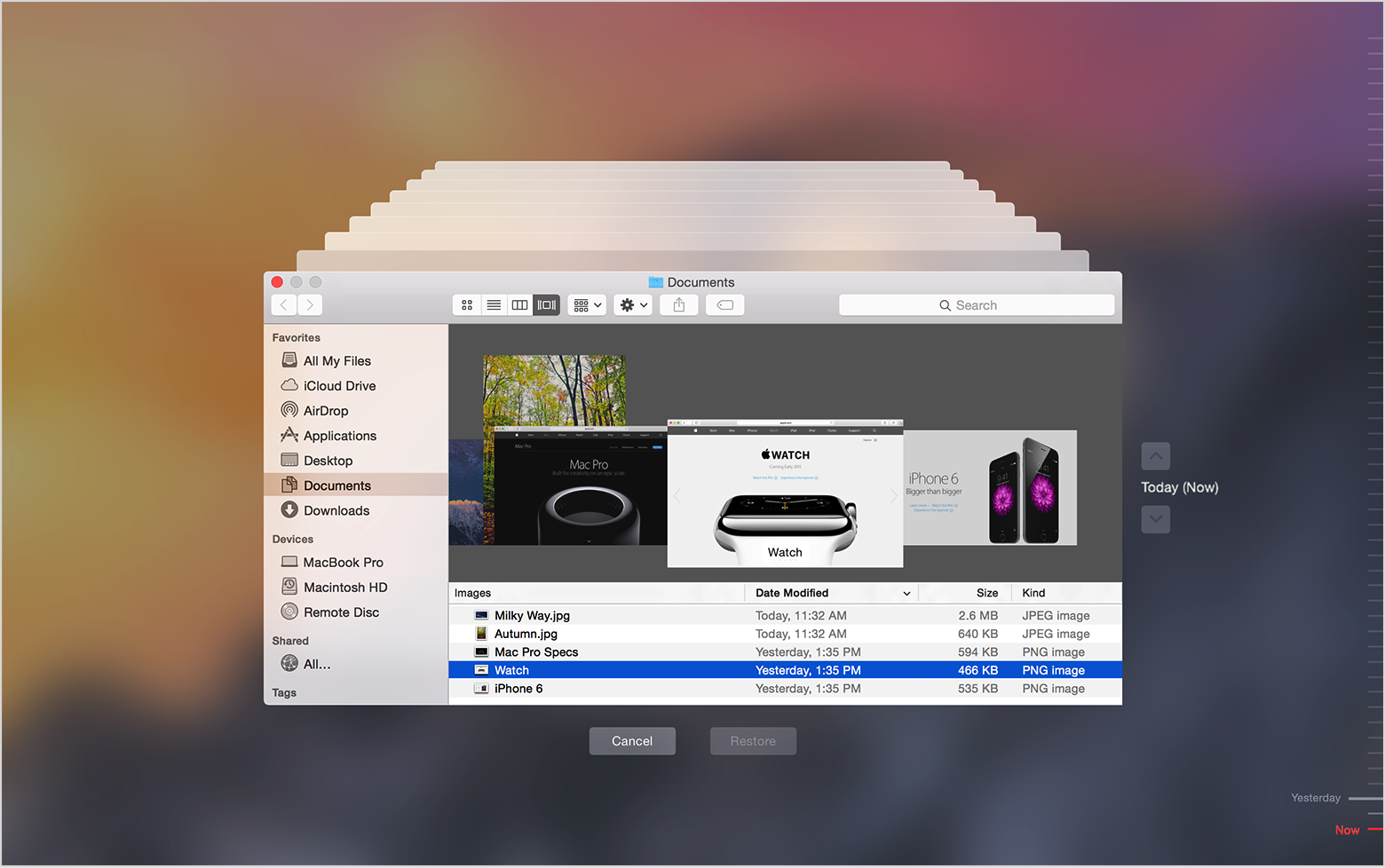
First, you could try to restore this folder on your Mac if you have a Time Machine backup. Please see Use Time Machine to back up or restore your Mac , specifically, this section:

Restore from a Time Machine backup

Restore specific files:

  1. Choose Enter Time Machine from the Time Machine menu User uploaded file, or click Time Machine in the Dock.
    User uploaded file
  2. Find the files to restore:
    • Use the timeline on the edge of the screen to see the files in your Time Machine backup as they were at that date and time. The timeline may also include local snapshots.
    • Use the onscreen up and down arrows to jump to the last time the contents of the window changed. You can also use the search field in a window to find a file, then move through time while focused on changes to that file.
    • Select a file and press Space Bar to preview the file and make sure it's the one you want.
  3. Click Restore to restore the selected file, or Control-click the file for other options.

Restore everything:

  • To restore everything in your Time Machine backup, use OS X Recovery.
  • To copy the files, settings, and OS X user accounts in your backup to another Mac, use Migration Assistant.

Have a wonderful day!

Sep 16, 2016 3:09 AM in response to tygb

Thank you! I found it...


But how can I "bring it out" like it was, as a sub-mailbox, and child it to my Archive folder?


I have read a few articles, though they mainly focus on creating and modifying smart mailboxes.


Of course now that I know how to find it, I can always search for it, but how can I drag it out, so I can see it in the Mail sidebar, for dragging messages onto it, etc...?


Cheers

This thread has been closed by the system or the community team. You may vote for any posts you find helpful, or search the Community for additional answers.

Missing sub-mailbox on a new mac

Welcome to Apple Support Community
A forum where Apple customers help each other with their products. Get started with your Apple Account.